

Best WiFi Router for Home in Bangladesh 2026
Looking for the best WiFi router for home in Bangladesh in 2026? Discover 8 routers from TP-Link and Tenda for small apartments, family homes, gaming, and work-from-home setups. Co...
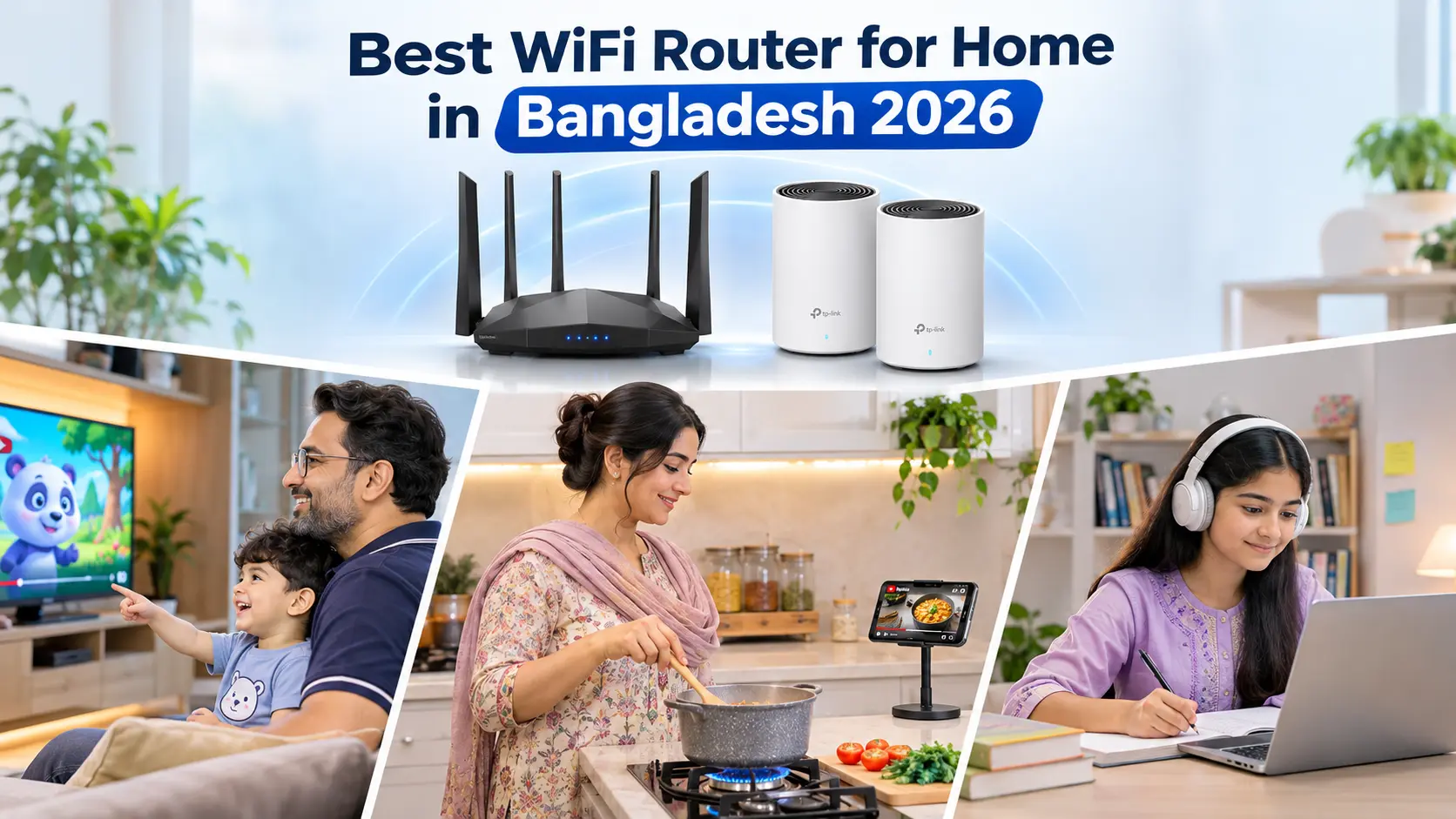
Best WiFi Router for Home in Bangladesh 2026: Top 8 Routers & Buying Guide
Looking for the best WiFi router for home in Bangladesh in 2026? Whether you're attending online classes, working from home, streaming YouTube or Netflix, or playing online games, a reliable WiFi connection is essential for everyday life.
But even with a good broadband connection, you may experience slow internet, weak signals in bedrooms, or buffering when multiple devices are connected.
The problem isn't always your internet service provider (ISP). Sometimes, an outdated router, poor placement, or insufficient WiFi coverage is responsible.
With different router brands, WiFi standards, and price ranges available in Bangladesh, choosing the right one can feel confusing.
Should you buy an affordable dual-band router, upgrade to Wi-Fi 6, or invest in a mesh WiFi system?
In this guide, we'll compare eight home WiFi routers available at Dolbear, explain important networking features, and help you choose a suitable router based on your home size, internet package, number of connected devices, and budget.
You can also explore the available TP-Link routers and Tenda routers at Dolbear.
Best WiFi Routers for Home in Bangladesh 2026: Quick Comparison
Before choosing a router, it's important to understand that different homes require different networking solutions.
A small apartment with three connected devices won't necessarily need the same equipment as a large family home with several smartphones, laptops, smart TVs, and security cameras.
Here are our recommended router options.
| Router Model | WiFi Technology | Best For | Price in BD* |
|---|---|---|---|
| TP-Link Archer C54 | Wi-Fi 5 AC1200 | Budget home WiFi | ৳2,290 |
| Tenda AC7 | Wi-Fi 5 AC1200 | Affordable dual-band connectivity | ৳2,299 |
| TP-Link Archer C64 | Wi-Fi 5 AC1200 Gigabit | Everyday gigabit networking | ৳3,190 |
| TP-Link Archer C80 | Wi-Fi 5 AC1900 Gigabit | Busy households | ৳4,290 |
| TP-Link Archer AX53 | Wi-Fi 6 AX3000 | Multiple devices and faster WiFi | ৳6,590 |
| TP-Link Deco M4 (2-Pack) | Wi-Fi 5 Mesh AC1200 | Multi-room coverage | ৳9,390 |
| TP-Link Archer BE230 | Wi-Fi 7 BE3600 | Next-generation home WiFi | ৳14,990 |
| TP-Link Deco X50 (2-Pack) | Wi-Fi 6 Mesh AX3000 | Large homes and duplexes | ৳17,890 |
Prices are based on Dolbear listings checked on November 15, 2026. Actual prices and availability may change.
1. TP-Link Archer C54 AC1200 — Best Budget WiFi Router for Home
The TP-Link Archer C54 AC1200 is an affordable option for Bangladeshi households that want dual-band WiFi without spending too much.
It supports both 2.4GHz and 5GHz frequency bands, allowing you to connect different devices according to their networking requirements.
Key Features
- AC1200 dual-band Wi-Fi 5.
- Up to 867 Mbps theoretical wireless speed on 5GHz.
- Up to 300 Mbps on 2.4GHz.
- Four external antennas.
- Beamforming and MU-MIMO support.
- Router, Access Point, and Range Extender modes.
- One 10/100 Mbps WAN port and four 10/100 Mbps LAN ports.
Why Choose the Archer C54?
For students, small families, and people using modest broadband packages, the Archer C54 offers practical everyday connectivity.
The 2.4GHz band can help reach devices farther away, while 5GHz offers faster local wireless performance when signal conditions are good.
However, this router has 100 Mbps Ethernet ports, so it isn't the right choice if you want to fully utilize a broadband connection above 100 Mbps.
Best for: Budget-conscious households, basic browsing, online classes, and small-to-medium apartments with suitable layouts.
Dolbear Listed Price: ৳2,290
Check TP-Link Archer C54 Price at Dolbear
2. Tenda AC7 AC1200 — Best Affordable Dual-Band Router Alternative
The Tenda AC7 AC1200 is another budget-friendly WiFi router worth considering for home use in Bangladesh.
It offers dual-band connectivity, multiple external antennas, and Beamforming technology for improved signal direction.
Key Features
- AC1200 dual-band Wi-Fi 5.
- Up to 867 Mbps theoretical wireless speed on 5GHz.
- Up to 300 Mbps on 2.4GHz.
- Five external high-gain antennas.
- Beamforming and MU-MIMO support.
- Three 10/100 Mbps LAN ports and one 10/100 Mbps WAN port.
Why Choose the Tenda AC7?
If your household regularly uses several smartphones, watches videos, attends online classes, and browses social media, the Tenda AC7 offers an affordable dual-band solution.
Its five external antennas are intended to improve wireless coverage, although antenna count alone doesn't guarantee better performance through concrete walls.
Like the Archer C54, its 100 Mbps wired ports make it better suited to broadband packages below 100 Mbps.
Best for: Students, small families, and users looking for an affordable alternative to TP-Link.
Dolbear Listed Price: ৳2,299
Explore Tenda AC7 AC1200 Router at Dolbear
3. TP-Link Archer C64 AC1200 — Best Value Gigabit Router for Home
If you're planning to upgrade your broadband connection or want faster wired networking, the TP-Link Archer C64 is a practical step up from entry-level routers.
Unlike some budget AC1200 models, the Archer C64 features Gigabit Ethernet ports.
Key Features
- AC1200 dual-band Wi-Fi 5.
- Up to 867 Mbps on 5GHz and 400 Mbps on 2.4GHz.
- One Gigabit WAN port.
- Four Gigabit LAN ports.
- Four external antennas.
- Beamforming and MU-MIMO technology.
- Support for common home networking features.
Why Choose the Archer C64?
Imagine upgrading from a 50 Mbps internet package to 150 Mbps.
A router with a 100 Mbps WAN port would become a bottleneck, even if its advertised wireless speed is much higher.
The Archer C64's Gigabit WAN port removes that particular limitation, provided your ISP connection and other equipment can deliver the speed.
It's also a useful option if you connect a desktop computer, gaming console, or smart TV using Ethernet.
Best for: Families, work-from-home users, and customers who want affordable Gigabit connectivity.
Dolbear Listed Price: ৳3,190
Check TP-Link Archer C64 Price and Features at Dolbear
4. TP-Link Archer C80 AC1900 — Best for Busy Family Homes
For families with several connected devices, the TP-Link Archer C80 AC1900 offers a stronger Wi-Fi 5 feature set.
It combines AC1900-class dual-band performance with Gigabit ports and 3×3 MU-MIMO technology.
Key Features
- AC1900 dual-band Wi-Fi 5.
- Up to 1300 Mbps theoretical wireless speed on 5GHz.
- Up to 600 Mbps on 2.4GHz.
- Four external antennas.
- 3×3 MU-MIMO technology.
- Beamforming support.
- One Gigabit WAN port and four Gigabit LAN ports.
Why Choose the Archer C80?
A modern family home may have multiple phones, laptops, a smart TV, and other connected devices sharing the same network.
The Archer C80 offers increased theoretical wireless capacity compared with basic AC1200 models.
It can be a good option for households that aren't ready to invest in Wi-Fi 6 but still want Gigabit networking and more capable wireless hardware.
The benefit depends on device compatibility, interference, and home layout.
Best for: Multi-device family homes, streaming, video meetings, and everyday home networking.
Dolbear Listed Price: ৳4,290
Explore TP-Link Archer C80 at Dolbear
5. TP-Link Archer AX53 AX3000 — Best Wi-Fi 6 Router for Home
If you're searching for a router with modern wireless technology, the TP-Link Archer AX53 AX3000 is one of our strongest recommendations.
It supports Wi-Fi 6, a newer generation designed to improve wireless efficiency and performance when multiple compatible devices share the network.
Key Features
- AX3000 dual-band Wi-Fi 6.
- Up to 2402 Mbps theoretical wireless speed on 5GHz.
- Up to 574 Mbps on 2.4GHz.
- Gigabit Ethernet connectivity.
- OFDMA and MU-MIMO technologies.
- Beamforming support.
- HomeShield security features.
- EasyMesh compatibility.
Why Choose the Archer AX53?
Wi-Fi 6 can help improve network efficiency in households where several devices are active at the same time.
For example, one person might be attending an online meeting, another watching 4K video, and someone else playing an online game.
The Archer AX53 offers a more modern wireless platform for handling these everyday demands.
However, a new router cannot create additional ISP bandwidth. If everyone is sharing a slow internet package, upgrading the router alone may not solve the problem.
Best for: Modern family homes, compatible Wi-Fi 6 devices, streaming, gaming, and work-from-home setups.
Dolbear Listed Price: ৳6,590
Check TP-Link Archer AX53 Wi-Fi 6 Router at Dolbear
6. TP-Link Deco M4 AC1200 (2-Pack) — Best Affordable Mesh WiFi for Larger Homes
If your WiFi works well near the router but becomes weak in bedrooms, corridors, or other parts of your home, a Mesh WiFi system may be more useful than replacing your router with another single unit.
The TP-Link Deco M4 AC1200 2-Pack is designed for whole-home wireless coverage.
Instead of relying on one router, it uses two mesh units that cooperate to provide one WiFi network.
Key Features
- AC1200 dual-band Wi-Fi 5 Mesh system.
- Two Deco units included.
- Up to 2,800 sq. ft. advertised coverage under specified conditions.
- Seamless roaming with one unified WiFi network.
- Two Gigabit Ethernet ports per unit.
- Parental control features.
- Deco mobile app management.
- Expandable with compatible Deco units.
Why Choose Deco M4?
Many homes in Bangladesh have brick or concrete walls that weaken WiFi signals.
A single router placed near the entrance may struggle to provide good coverage in distant rooms.
With two Deco units positioned strategically, you can distribute wireless coverage across more of your home.
For example, one unit could serve the living room while another improves connectivity near bedrooms.
Actual coverage depends on walls, floor layout, placement, and how the units connect. A wired Ethernet backhaul can help where wireless backhaul is heavily obstructed.
Best for: Larger apartments, multi-room homes, and households experiencing WiFi dead zones.
Dolbear Listed Price: ৳9,390
Explore TP-Link Deco M4 2-Pack at Dolbear
7. TP-Link Archer BE230 BE3600 — Best Future-Ready Wi-Fi 7 Router
If you're interested in upgrading to a newer wireless generation, the TP-Link Archer BE230 BE3600 offers Wi-Fi 7 technology.
Wi-Fi 7 introduces capabilities intended to improve wireless performance, efficiency, and responsiveness on compatible devices.
Key Features
- BE3600 dual-band Wi-Fi 7.
- Up to 2882 Mbps theoretical wireless speed on 5GHz.
- Up to 688 Mbps on 2.4GHz.
- Support for Wi-Fi 7 technologies, including Multi-Link Operation on compatible devices.
- High-speed connectivity for demanding home networking.
- Modern security and network management features.
Why Choose Archer BE230?
For a household planning to use its router for several years, a Wi-Fi 7 model can offer greater flexibility for future device upgrades.
It may suit users with high-speed broadband, newer smartphones, modern laptops, or multiple demanding connected devices.
However, Wi-Fi 7 is not essential for every Bangladeshi home.
If your broadband connection is relatively modest and your devices only support older WiFi standards, a good Wi-Fi 5 or Wi-Fi 6 router may deliver better value.
Best for: Technology enthusiasts, faster broadband packages, and households investing in newer compatible devices.
Dolbear Listed Price: ৳14,990
Explore TP-Link Archer BE230 Wi-Fi 7 Router at Dolbear
8. TP-Link Deco X50 AX3000 (2-Pack) — Best Wi-Fi 6 Mesh Router for Large Homes
For larger apartments, duplex homes, or households with several connected devices spread across multiple rooms, the TP-Link Deco X50 AX3000 2-Pack offers a combination of Wi-Fi 6 and Mesh networking.
Key Features
- AX3000 dual-band Wi-Fi 6 Mesh system.
- Two mesh units included.
- Up to 2402 Mbps theoretical wireless speed on 5GHz.
- Up to 574 Mbps on 2.4GHz.
- One unified WiFi network.
- Mesh roaming and expandable coverage.
- Gigabit Ethernet connectivity.
- App-based setup and network management.
Why Choose Deco X50?
If you have a large family home where one router cannot reliably serve every room, a multi-unit mesh system can provide a more practical solution.
The Deco X50 combines the advantages of multiple access points with Wi-Fi 6 networking.
It may be particularly useful when several family members are streaming, making video calls, gaming, or using smart-home devices simultaneously.
For the most consistent performance, consider connecting the mesh units through Ethernet where possible.
Best for: Larger family homes, duplexes, multi-room apartments, and households wanting a modern Wi-Fi 6 mesh setup.
Dolbear Listed Price: ৳17,890
Check TP-Link Deco X50 2-Pack Price at Dolbear
Which WiFi Router Is Best for Your Home Size in Bangladesh?
One of the most common mistakes when buying a router is choosing based only on advertised speed or antenna count.
Home size, wall construction, router placement, and the number of connected devices can matter just as much.
Here's a practical starting point.
| Home Type | Suggested WiFi Setup |
|---|---|
| Single room or small studio | Budget dual-band router |
| Small 1–2 bedroom flat | AC1200 dual-band router |
| Medium-sized family apartment | Gigabit dual-band or Wi-Fi 6 router |
| Larger flat with several rooms | Wi-Fi 6 router or multi-unit mesh |
| Duplex or multi-storey home | Two or more mesh nodes or wired access points |
| Home with many active devices | Wi-Fi 6 or newer, with suitable ISP bandwidth |
These are general recommendations, not guaranteed coverage ratings. A compact flat with thick concrete walls may require a different setup from a larger open-plan home.
Wi-Fi 5 vs Wi-Fi 6 vs Wi-Fi 7: What's the Difference?
When shopping for routers in Bangladesh, you'll notice labels such as AC1200, AX1800, AX3000, and BE3600.
These indicate the WiFi generation and an advertised aggregate wireless speed class.
Wi-Fi 5 (802.11ac)
Wi-Fi 5 remains a practical option for everyday browsing, video streaming, online classes, and household internet use.
It can offer good value when paired with dual-band connectivity and Gigabit ports.
Wi-Fi 6 (802.11ax)
Wi-Fi 6 is designed to improve efficiency, particularly when multiple compatible devices communicate with the router.
Technologies such as OFDMA help manage wireless traffic more effectively.
For many modern homes, Wi-Fi 6 offers a useful balance between price and advanced features.
Wi-Fi 7 (802.11be)
Wi-Fi 7 introduces additional technologies, including Multi-Link Operation, which can allow compatible devices to use multiple links.
It is especially relevant for users investing in newer devices and more demanding networks.
However, Wi-Fi 7 routers and client devices vary in their supported bands and features.
Quick Comparison
| Feature | Wi-Fi 5 | Wi-Fi 6 | Wi-Fi 7 |
|---|---|---|---|
| Standard | 802.11ac | 802.11ax | 802.11be |
| Typical Router Label | AC | AX | BE |
| Everyday Browsing | Yes | Yes | Yes |
| Multi-Device Efficiency | Good, model-dependent | Improved | Further enhancements |
| Newer Wireless Features | Limited | OFDMA and other improvements | MLO and additional enhancements |
| Best For | Budget homes | Modern households | Advanced and future-ready setups |
Our recommendation: Don't pay extra for Wi-Fi 7 just because it is newer. Choose the WiFi generation that fits your devices, home environment, broadband speed, and budget.
2.4GHz vs 5GHz WiFi: Which Is Better for Home?
Many wireless routers support two frequency bands.
Understanding their differences can help you get better performance from your internet connection.
2.4GHz WiFi
The 2.4GHz band generally provides wider range and better penetration through obstacles than 5GHz.
It is suitable for:
- Everyday browsing.
- Smart-home devices.
- Some security cameras.
- Devices farther from the router.
However, it can experience more interference because of neighbouring WiFi networks and other devices.
5GHz WiFi
The 5GHz band generally supports higher wireless speeds at shorter distances.
It can be useful for:
- Video streaming.
- Online gaming.
- Large downloads.
- Video meetings.
- Devices close to the router.
However, signal strength can decrease more quickly through thick walls.
Verdict: A dual-band router is a practical choice for most households because it offers greater flexibility than a basic single-band router.
Single Router vs Mesh WiFi: Which Is Better for Bangladeshi Homes?
Not every home needs an expensive mesh system.
If you live in a small flat and can place your router centrally, a good dual-band router may provide sufficient coverage.
But if your home has multiple floors, long corridors, or thick concrete walls, one router may struggle.
Choose a Single Router If:
- Your home is relatively compact.
- Most devices are within a reasonable distance.
- You can install the router near the centre.
- WiFi coverage is already acceptable throughout most rooms.
Choose Mesh WiFi If:
- Some rooms regularly have weak signals.
- Your home has multiple floors.
- You need WiFi across a larger area.
- You want several compatible access points under one managed WiFi network.
For example, the TP-Link Deco M4 and TP-Link Deco X50 are expandable mesh product families.
A single unit operates as one access point; multiple compatible units are needed to create a multi-node mesh network.
How to Choose a WiFi Router Based on Your Internet Package
The speed of your ISP connection is an important factor when choosing a router.
| Internet Package | Practical Starting Point |
|---|---|
| Up to 30 Mbps | Entry-level dual-band WiFi |
| 30–80 Mbps | AC1200 dual-band router |
| 80–100 Mbps | AC1200 with suitable ports, or Gigabit router |
| 100–200 Mbps | Gigabit router; Wi-Fi 6 worth considering |
| Above 200 Mbps | Gigabit Wi-Fi 6 or newer, based on device needs |
A router with a 100 Mbps WAN port cannot deliver a 150 Mbps internet connection at full speed through that port.
For users planning to upgrade their ISP package, buying a router with Gigabit WAN and LAN ports can be a sensible investment.
Also remember that wireless speed ratings are not the same as internet speed. An AX3000 router does not automatically provide a 3,000 Mbps internet connection.
Best WiFi Router for Gaming in Bangladesh
If you play PUBG Mobile, Free Fire, Valorant, or other online games, stable connectivity and low latency are important.
When selecting a gaming router, consider:
- Quality of the internet connection.
- Connection stability.
- Router performance under multiple active devices.
- QoS or traffic prioritization features.
- Gigabit Ethernet support.
- Wi-Fi 6 or newer wireless capabilities when useful.
The TP-Link Archer AX53 offers Wi-Fi 6 networking for modern household requirements.
For more advanced gaming-focused functionality, you can also explore the TP-Link Archer GE230 Wi-Fi 7 Gaming Router.
However, buying an expensive gaming router does not guarantee low ping. ISP routing, game-server location, network congestion, and whether you use Ethernet or WiFi all influence latency.
For desktop gaming, a wired Ethernet connection is generally preferable when available.
How to Improve WiFi Coverage at Home Without Buying a New Router
Before replacing your router, try these simple improvements.
Place the Router Centrally
Avoid putting your router behind a television, inside a cabinet, or in a distant corner.
A central and reasonably elevated position can improve coverage.
Reduce Wireless Interference
Keep the router away from equipment that may cause interference.
In crowded apartment buildings, changing the wireless channel or using 5GHz for compatible nearby devices may help.
Update Router Firmware
Check your router manufacturer's official software or management app for supported firmware updates.
Check Your Internet Connection
Test internet speed using an Ethernet-connected device when possible.
This can help distinguish WiFi problems from issues with the ISP connection.
Consider a Mesh System
If the signal remains weak in distant rooms, a mesh system or wired access point may provide better results than simply buying another high-antenna router.
WiFi Router Buying Tips for Bangladesh
Before purchasing a router, consider these practical factors.
1. Check ISP Compatibility
Most standard Ethernet WAN routers work with common broadband connections, but your ISP may require specific configuration details such as PPPoE credentials, VLAN settings, or registered device information.
Contact your ISP before replacing equipment if you're unsure.
2. Consider Power Backup During Load Shedding
A router requires electricity, and fibre broadband setups may also depend on an Optical Network Unit (ONU).
If you want connectivity during load shedding, check whether a compatible mini UPS or backup power system can support both devices.
Match the required voltage, connectors, power capacity, and polarity. Backup power does not guarantee service if the ISP's network equipment loses power.
3. Check Warranty and Product Authenticity
Always confirm the product model, hardware version, warranty terms, and seller information.
4. Understand Your Actual Coverage Needs
Walls, distance, flooring, neighbouring networks, and connected devices all affect wireless performance.
5. Compare Current Router Prices
A budget router may be enough for basic browsing, while faster broadband or larger homes may justify Gigabit, Wi-Fi 6, or mesh networking.
Explore more available models from TP-Link at Dolbear and Tenda at Dolbear.
Frequently Asked Questions About WiFi Routers in Bangladesh
1. Which is the best WiFi router for home in Bangladesh in 2026?
For a typical household seeking good value, the TP-Link Archer C64 is a practical Gigabit-capable option. For more demanding multi-device use, the TP-Link Archer AX53 offers Wi-Fi 6. Larger homes with dead zones may benefit more from a mesh system such as the Deco M4 or Deco X50.
2. Which WiFi router is best under 3000 taka in Bangladesh?
The TP-Link Archer C54 and Tenda AC7 are affordable dual-band options listed below ৳3,000 at Dolbear. Both are better suited to broadband packages below 100 Mbps because of their wired port speeds.
3. Is a dual-band router better than a single-band router?
For most households, yes. Dual-band models provide both 2.4GHz and 5GHz connectivity, offering more flexibility for range and wireless speed.
4. Is Wi-Fi 6 worth buying in Bangladesh?
Wi-Fi 6 can be a worthwhile upgrade for households with compatible devices, higher traffic, or plans to keep the same router for several years. It is not essential for every basic broadband connection.
5. How many antennas should a home router have?
Antenna count alone doesn't determine coverage. Antenna design, WiFi standard, placement, transmit power, wall construction, and interference all matter.
6. Which router is best for a 3-bedroom flat?
A Gigabit dual-band or Wi-Fi 6 router may be sufficient when positioned centrally. For flats with thick walls or distant rooms, two mesh nodes or wired access points may work better.
7. Can a WiFi router increase internet speed?
A better router can remove local network bottlenecks and improve wireless performance, but it cannot exceed the internet speed supplied by your ISP.
8. Which router is best for a duplex house?
A multi-node mesh system such as TP-Link Deco M4 or Deco X50 is worth considering. The number of units depends on the actual floor plan and building materials.
9. Can I use a WiFi router during load shedding?
Yes, with a correctly specified backup power supply, provided the router, ONU, and necessary ISP equipment remain powered.
10. Where can I buy a genuine WiFi router in Bangladesh?
You can browse router models, compare specifications, and check current availability at Dolbear, including its TP-Link and Tenda selections.
Final Verdict: Which WiFi Router Should You Buy in 2026?
Finding the best WiFi router for home in Bangladesh doesn't necessarily mean choosing the most expensive model.
The right router depends on your home layout, internet package, connected devices, and budget.
For budget-conscious buyers, the TP-Link Archer C54 offers affordable dual-band connectivity.
For households wanting Gigabit Ethernet without spending too much, the TP-Link Archer C64 is a strong-value option.
For a modern home with several connected devices, the TP-Link Archer AX53 provides Wi-Fi 6 capabilities.
If your biggest problem is weak WiFi coverage across rooms or floors, a mesh solution such as the TP-Link Deco M4 or Deco X50 may be the more practical investment.
Before buying, compare the models against your actual requirements rather than relying on advertised maximum speeds alone.
Ready to upgrade your home WiFi experience?
Shop TP-Link WiFi Routers at Dolbear
Explore Tenda WiFi Routers at Dolbear
Compare features, check the latest router prices in Bangladesh, and choose the right networking solution for your home.
Dolbear — A Better Feeling, Delivered.